

Maya did not notice the problem on Monday. She noticed it on Thursday, when a simple email took twice as long as usual because her right wrist ached with every sentence. Maya is a freelance writer in Austin, and typing is how she earns a living. She had a deadline week, a laptop balanced on a dining table, and no time to think about her hands until her hands forced her to stop.
That is how most typing pain starts. It rarely arrives as one dramatic injury. It builds quietly, through small errors repeated thousands of times a day: a keyboard set too high, wrists bent upward, no real breaks, and a mouse kept just far enough away to twist the forearm again and again. By Friday, Maya was icing her wrist and wondering if she would need to turn work down.
She did not need a new career. She needed a better setup, a calmer pace, and a few habits she could keep on busy days. This guide shows how to stop wrist pain when typing all day, using the same three changes that helped Maya get back to full days at the keyboard without dreading the next deadline.
The plan has three main points. First, fix your setup so your wrists stay straight. Second, pace your typing with short breaks and shared load. Third, strengthen gently and watch for warning signs that need care. None of these steps is dramatic on its own. Together, they remove the strain that turns a normal workday into a painful one.
How to Stop Wrist Pain When Typing All Day With a Better Setup
Start with your chair and keyboard, not with a brace or a gadget. Sit with your feet flat on the floor and your elbows close to your body, bent at about a right angle. Your forearms should run level with the floor, not angled sharply up or down. If your desk is too high, your wrists will bend upward to reach the keys, and that bend is often the main cause of the ache.
Lower the keyboard if you can. A keyboard tray, a lower table, or a laptop stand paired with a separate keyboard can all help. The goal is simple: your hands should float in line with your forearms, with no sharp bend at the wrist. Keep the keyboard directly in front of you, centered on your body, so you are not twisting to one side all day.
Your mouse deserves the same attention. Keep it close to the keyboard, at the same height, so your arm does not have to reach across the desk. A standard mouse holds your forearm palm down, which can add twist over a long day. If that twist bothers you, try a vertical mouse for a couple of weeks before you judge it. The handshake shape suits some people very well and feels odd to others, so give it a fair trial.

Use a wrist rest the right way. A soft rest is for pauses between bursts of typing, not for planting your wrists on while you type. Typing with your wrists pressed down on a rest can bend them upward and press on the underside of the joint. Rest your palms lightly during pauses, then lift your hands again when you type. That small change alone eases pressure for many people.
Check your screen height too, even though it seems unrelated. If your screen is too low, you lean forward, your shoulders round, and your arms work harder to compensate. Raise the screen so your eyes look slightly downward at it, sit back in your chair, and let your shoulders drop. A calmer upper body means calmer wrists.
If you work from a dining table or a sofa, as Maya did, expect more strain. A laptop keyboard sits high and close to the screen, which forces a compromise in posture. An external keyboard and a laptop stand are not luxuries in that case. They are the cheapest way to separate screen height from keyboard height, and that separation protects your wrists more than any single accessory.
Why Typing Pain Builds So Slowly
Typing looks harmless because each keystroke is light. The problem is volume. Thousands of small movements, repeated without rest, tire the tendons that move your fingers and wrists. Tight forearm muscles add to the load. When those muscles stay tense, the tendons at the wrist work harder with every word.
Poor posture makes the load worse. Slouching pulls your shoulders forward and changes the angle of your arms. Reaching forward for a keyboard that sits too far away extends the wrist. Holding the same position for hours without moving lets stiffness settle in. None of this hurts much at first, which is why it is easy to ignore until a deadline week turns a mild ache into a real problem.
Two common conditions get confused here, so it helps to know the difference in plain terms. Tendon irritation comes from overuse and inflammation, and it often feels like a dull ache or soreness that eases with rest and better mechanics. Carpal tunnel trouble involves pressure on a nerve in the wrist, and it more often brings tingling, numbness, or weakness in the fingers. This guide cannot diagnose you, and you should not try to diagnose yourself from one article. Use the warning signs near the end of this guide to decide when to get care.
Gentle Stretches That Help Tired Wrists
Stretching helps when it is gentle and regular, not forceful. You are not trying to prove how far your wrist can bend. You are giving tight tissue a chance to lengthen and giving blood flow a chance to return after long typing sessions.
Try this short routine two or three times during the workday. Hold your arm out in front of you with your palm facing down. Use your other hand to press your fingers gently downward until you feel a mild stretch in the top of the forearm. Hold for about 20 seconds, breathe normally, and release. Then turn your palm upward and press your fingers gently back toward you for a similar stretch on the underside of the forearm.
Next, shake your hands loosely for a few seconds, as if you are shaking water off your fingers. Spread your fingers wide, then make a soft fist, then spread them again. Repeat that slow open and close motion about ten times. Finish by rolling your wrists in slow circles, first one way and then the other. The whole routine takes under two minutes.
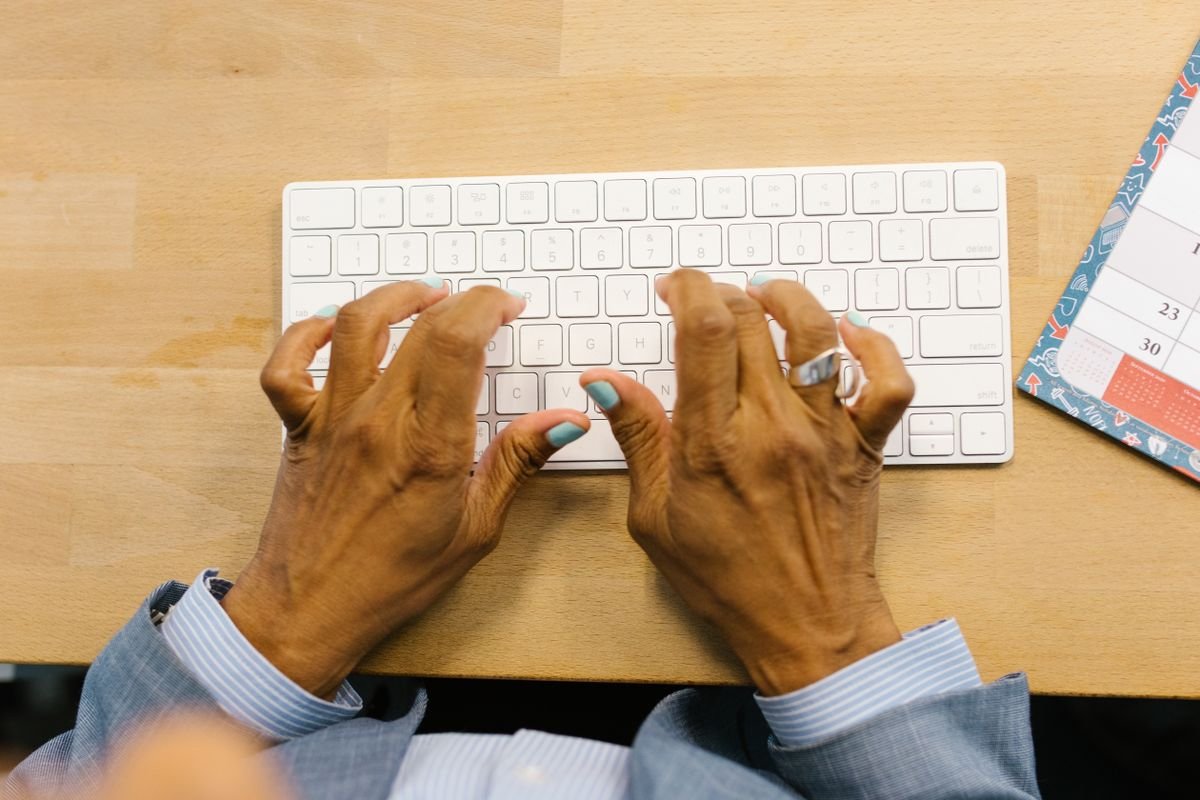
Do not stretch into sharp pain. A mild pull is enough. If a stretch sends tingling into your fingers, stop that movement and try a gentler version. Stretching should leave your hands feeling looser, not more irritated. If the same stretch hurts every day, that is useful information to share with a doctor or hand therapist, not a reason to push harder.
A soft ball or therapy putty can help later, once the acute soreness settles. Squeeze gently, to only a light effort, and focus on smooth control rather than strength. Strong gripping too early can irritate tender tendons. Think of this stage as retraining, not as a workout. Your goal is endurance for a full workday, not a stronger grip in one session.
A simple stretch routine for the workday
Morning: do the forearm stretches once before your first long typing block. Midday: repeat them after lunch, when stiffness often returns. Late afternoon: do the shake and circle routine even if you feel fine, because prevention works better than rescue. Evening: stretch lightly again if you typed late, then rest your hands properly overnight.
Pace Your Typing Day So Pain Does Not Return
Setup fixes the position. Pacing fixes the volume. Most people who type all day do not need to type less in total. They need to break the typing into smaller blocks with real pauses in between, so tendons get time to recover.
A workable rhythm is 30 to 45 minutes of typing, then a short pause of 30 to 60 seconds to shake out your hands and stretch. Every couple of hours, take a longer break away from the desk. Stand, walk, get water, and let your arms hang loose at your sides. A break spent scrolling on your phone does not count, because your hands are still working.
Set a timer if you need to. Deep focus makes breaks the first habit to disappear, and a quiet reminder protects you from yourself. Maya set a timer for every 40 minutes during deadline weeks. At first it felt like an interruption. Within a week, she noticed she finished days with less ache and no loss of output, because she stopped losing time to slow, painful typing late in the day. That rhythm is central to how to stop wrist pain when typing all day without cutting your output.
Share the load when you can. That advice also connects to how to use voice typing to write faster, because dictating a first draft or replying to messages by voice removes keyboard load entirely for that task. You do not need to dictate everything. Even switching one long email or one rough draft to voice each day gives your wrists meaningful rest while work still moves forward.
Move your whole hand instead of stretching a finger to reach a far key. That small habit reduces awkward wrist angles. Learn the keyboard shortcuts you use most, so you are not reaching for the mouse every few seconds. Keep your most used tools within easy reach, and avoid twisting to grab a phone, a notebook, or a drink that sits behind you.

Watch your total typing load across the day, not just at work. Evening messages, gaming, and scrolling all add to the same tendons. If your wrists already ache after work, that is not the time for another hour of intense thumb typing. Give your hands a real evening off when you can, and let rest do its quiet work.
Tools That Help, and Tools That Only Promise Help
An ergonomic keyboard can help if it keeps your wrists straight. Split designs angle each hand naturally, which suits people whose wrists ache from a flat keyboard. Low profile keyboards are also easier on many wrists than tall, stiff keys. Try before you commit if you can, because comfort is personal, and the best keyboard is the one you can type on for hours without forcing your hands into an odd shape.
A gel pad or soft rest can help during pauses, as noted above. A brace can help at night, when it holds the wrist in a neutral position while you sleep. A brace worn all day while typing can sometimes help during a flare, but it can also change how you move and hide a problem that needs a setup change. Use a brace as a short term support, not as a permanent fix for a bad desk.
Ice can calm a fresh flare. Apply a covered ice pack for 15 to 20 minutes after a heavy typing session if the area feels hot or swollen. Do not place ice directly on skin, and do not rely on ice alone. If pain keeps returning, ice is treating the symptom while the cause stays in place. Fix the cause, and use ice only as backup.
Be wary of any product that promises a cure. No keyboard, mouse, or brace can undo a full day of bent wrists and no breaks. The most useful tools are boring: a keyboard at the right height, a mouse kept close, a timer for breaks, and a voice option for part of the day. Maya spent far less on gear than she expected. Most of her improvement came from height, distance, and pacing.
When to Get Care Promptly
Most mild typing aches settle within a few days once you fix your setup and pace. Get care sooner if pain lasts more than two weeks, keeps returning in the same spot, or starts to interfere with everyday tasks like opening a jar or holding a cup. Get care promptly if you notice numbness, tingling, weakness, or pain that wakes you at night.
See a doctor or a certified hand therapist if you notice swelling, a visible change in the wrist, pain after a fall or injury, or pain that spreads up the forearm. These signs may point to something that needs assessment rather than home care. Bring a simple note about your work: how many hours you type, what setup you use, and when symptoms are worst. That detail helps a clinician far more than a vague report of wrist pain.
This guide is general information, not medical advice. It cannot replace an examination. If you are unsure, err on the side of getting checked. Early care is usually simpler than care after months of typing through worsening pain.
How a Calmer Desk Fits a Calmer Workday
Wrist pain rarely lives alone. It often arrives with a cluttered desk, a cramped setup, and a workload that keeps growing. Sorting the physical space can make the ergonomic fixes easier to keep. That is why it is worth reading how to declutter your home office desk for productivity alongside this guide, so your keyboard, mouse, and rest have room to sit where they should.
Workload matters too. Extra tasks added without extra time push people into longer, faster typing sessions with fewer breaks. Learning how to charge extra for scope creep as a freelancer will not fix your wrists directly, but it can protect the boundaries that make pacing possible. When work stays within agreed limits, breaks stay possible too.
Conclusion: A Small Routine That Protects a Full Workday
Maya did not fix her wrists in one day. She lowered her keyboard, moved her mouse closer, set a timer for breaks, and dictated her rough drafts on the hardest days. Within two weeks, the Thursday ache faded. Within a month, she could face a deadline week without fearing what Friday would feel like. The routine was simple, and that was why it lasted.
Remember the three main points. Keep your wrists straight with a setup that fits your body. Pace your typing with short pauses and a longer break every couple of hours. Share the load with voice typing and gentle stretches, and get care promptly if warning signs appear. That is how to stop wrist pain when typing all day, not by pushing through pain, but by removing the strain that creates it.
Start today with one change. Lower your keyboard, move your mouse closer, or set a timer for your next typing block. Small fixes, repeated daily, protect the hands your work depends on.
Frequently Asked Questions
How long does wrist pain from typing take to improve?
Mild pain often improves within a few days to two weeks once setup and pacing improve. If pain lasts longer than two weeks or keeps returning, get it assessed rather than waiting.
Do wrist rests help or make wrist pain worse?
A wrist rest helps during pauses, when it supports the palm lightly. It can make pain worse if you press your wrists down on it while typing, because that bends the wrist upward.
Is voice typing a good option for wrist pain?
Yes, for part of the day. Dictating drafts and messages removes keyboard load for those tasks, which gives tendons time to recover while work continues.
Should I keep typing through wrist pain?
No. Typing through sharp pain, numbness, or weakness can turn a short flare into a longer problem. Pause, stretch gently, fix your setup, and rest. Seek care if symptoms persist.
When should I see a doctor about wrist pain from typing?
See a doctor if pain lasts more than two weeks, if you have numbness, tingling, weakness, swelling, night pain, or pain after an injury, or if everyday tasks become hard.