If you have ever fumbled through three different bags looking for your ID at airport security, you already understand the appeal of a pop socket wallet. It is a small accessory that solves a very specific problem: carrying a few cards without carrying an entire wallet.
But not every phone wallet with a grip performs the same way. Some slide off after a few weeks. Some leave sticky residue on your phone case. Others simply do not hold enough cards to be useful. This guide breaks down exactly what to look for, how these accessories actually work, and how to pick one that will stay put without wrecking your phone or your case.
What Is a Pop Socket Wallet
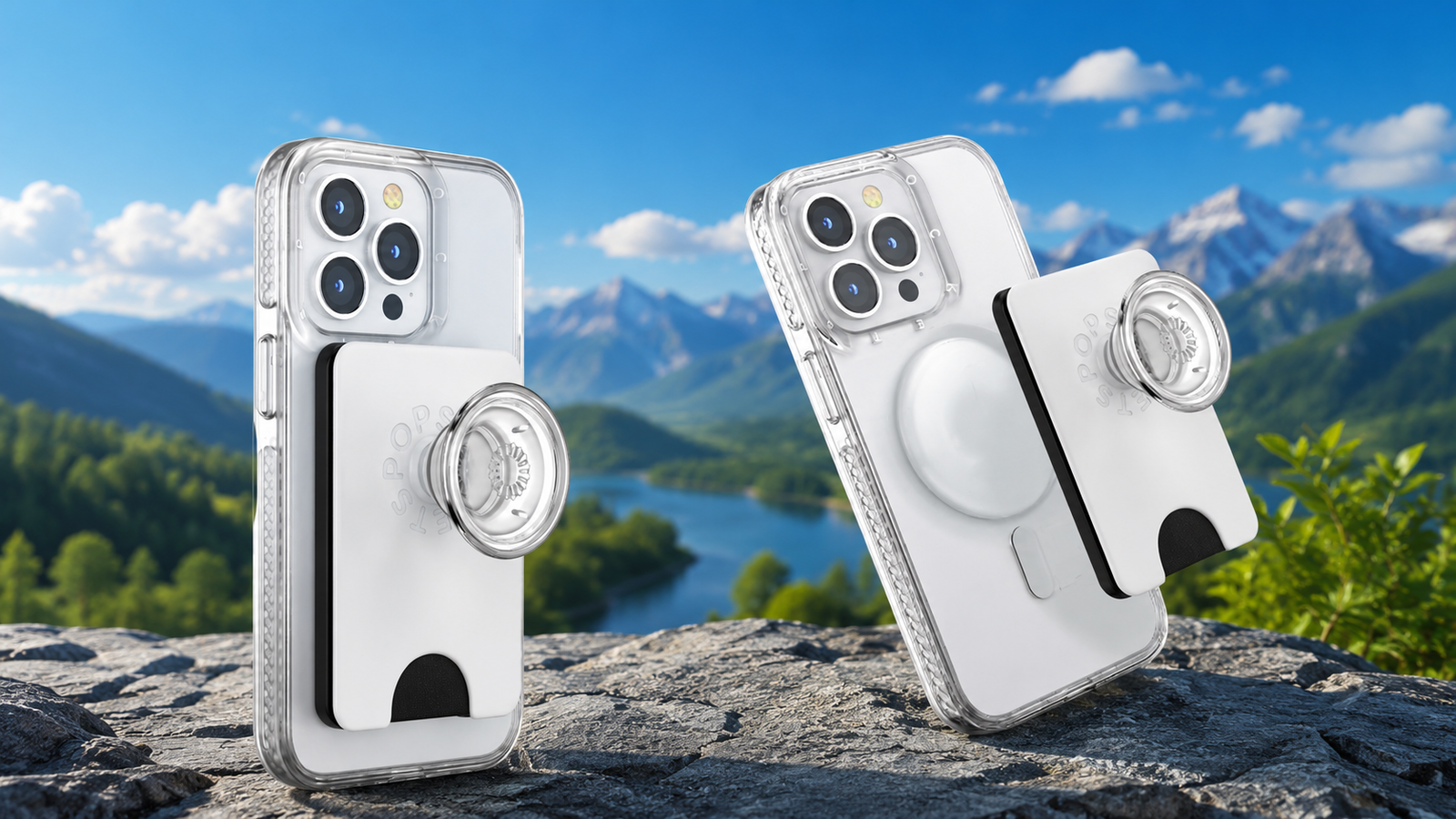
A pop socket wallet is a slim card holder that attaches directly to the back of your phone or phone case. Most versions combine two functions in one accessory: a compartment for a handful of cards and a built in grip or stand that makes the phone easier to hold and prop up.
The idea grew out of the original PopSockets phone grip, which became popular for giving people a comfortable way to hold their phone one handed. Manufacturers eventually combined that grip design with a card pocket, creating what is now commonly called a pop socket wallet or phone wallet with grip.
For a lot of people, it replaces the need for a separate cardholder or a bulky wallet case. You slip your driver’s license, a debit card, and maybe a transit pass into the pocket, and your essentials travel with your phone instead of in a separate bag.
How a Pop Socket Wallet Actually Attaches to Your Phone
There are two main ways these wallets stay attached, and understanding the difference will save you a lot of frustration.
Adhesive Backing
Most standard pop socket wallets use a repositionable adhesive pad on the back. This is similar to the gel based adhesive used on the original PopSockets grips. It sticks firmly to smooth, hard surfaces like polycarbonate phone cases or bare phone backs, but it does not bond permanently, which means you can peel it off and reposition it if needed.
The key word here is smooth. Adhesive backed wallets struggle on textured, silicone, or soft touch cases because the surface does not provide enough contact area for the adhesive to grip properly.
MagSafe Attachment
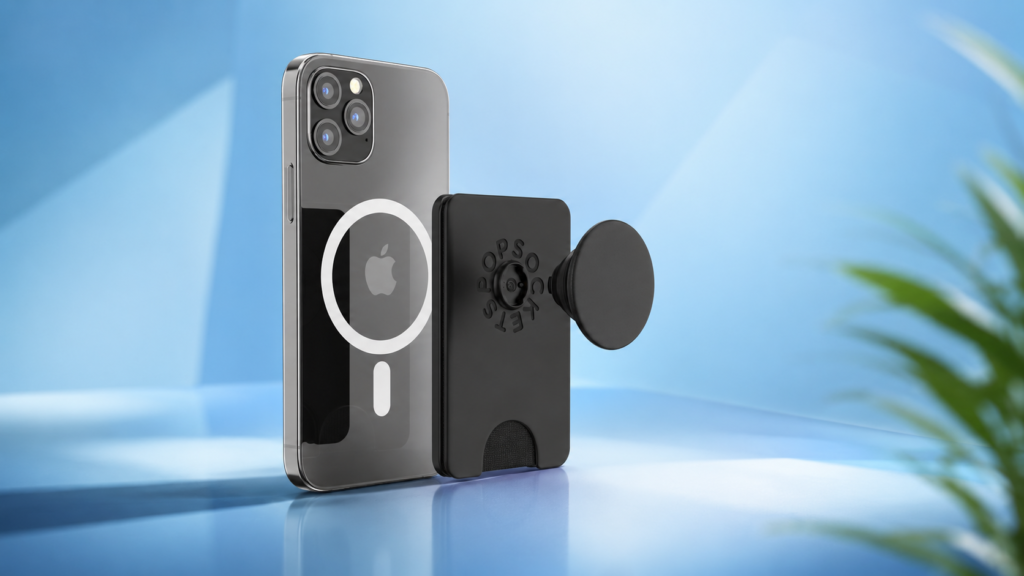
Newer models use magnets instead of adhesive, designed to work with MagSafe compatible iPhones (typically iPhone 12 and later). These wallets snap into place using the magnetic ring built into the phone or case, and they can be removed and reattached instantly without leaving any residue.
If your phone is not MagSafe compatible, some brands include an adapter ring that sticks to the back of your case and gives you the same magnetic snap on function. This is a solid workaround for Android users or older iPhone models who still want the convenience of a magnetic wallet.
Adhesive vs MagSafe: Which Attachment Style Is Better
There is no single correct answer here, since it really depends on your phone, your case, and how often you plan to remove the wallet.
Here is a simple way to think about it:
- Choose adhesive if you rarely remove the wallet and want a firm, permanent feeling grip on a smooth case.
- Choose MagSafe if you like swapping accessories often, want zero residue, or already own MagSafe compatible cases.
- Avoid adhesive entirely if your case is silicone, textured, or has an anti fingerprint coating, since the pad will not hold well.
MagSafe wallets tend to feel more premium and modern, but they only work reliably with cases specifically designed for magnetic attachment. If your case is not MagSafe ready, an adhesive model paired with a smooth case backing will actually perform more consistently.
How Many Cards Can a Pop Socket Wallet Hold
Card capacity is one of the most practical things to check before buying, since this determines whether the wallet can actually replace your everyday carry.
Most standard designs hold between three and five cards comfortably. Some slightly bulkier versions claim capacity for up to six thin cards, such as business cards, but this depends heavily on card thickness. A driver’s license, a debit card, and a loyalty card will fit easily in almost any model, but adding a second thick card or several coins is where things get tight.
If you regularly carry more than four or five cards, it is worth looking at expandable or accordion style pop wallets, which use a folded pocket design to hold slightly more without becoming too rigid.
Will It Damage Your Phone or Case
This is the question most people quietly worry about, and it deserves a straightforward answer.
Adhesive pads used on quality pop socket wallets are designed to be removable without damaging most hard plastic or polycarbonate cases. When you remove one properly (usually by pushing one corner and sliding it sideways rather than pulling straight up) the adhesive typically comes away clean.
Problems tend to happen in a few specific situations:
- The case has a soft touch, rubberized, or textured finish, which can tear or peel when the adhesive is removed.
- The wallet has been attached for a very long time in high heat, which can make the adhesive bond more aggressively than intended.
- The wallet is pulled off quickly instead of slid off, which puts uneven stress on the case surface.
If you are cautious about damage, apply the wallet to a case rather than directly to your phone’s back panel. That way, if anything does go wrong, you are only dealing with a case replacement rather than a mark on the phone itself.
Does It Interfere With Wireless Charging or RFID Cards
Two common concerns come up again and again, so let’s address both clearly.
Wireless charging: Adhesive pop socket wallets are designed to be removable, which means you can pop them off before placing your phone on a wireless charging pad. Some MagSafe versions are thin enough to allow charging through the wallet itself, though thicker card stacks can reduce charging efficiency or block it entirely. If you charge wirelessly every night, check whether the specific model you are considering is advertised as wireless charging compatible.
RFID and magnetic stripes: A pop socket wallet does not use strong enough magnets to erase a magnetic stripe or interfere with contactless payment chips in most modern cards. However, if you are using a MagSafe wallet and stacking it directly against a card with an older magnetic stripe for extended periods, it is worth keeping your most sensitive cards, like hotel key cards, in a separate slot or wallet just to be safe.
Choosing the Right Pop Socket Wallet for Your Lifestyle
Not everyone needs the same features, so it helps to think about how you actually use your phone day to day.
For Minimalist Carry
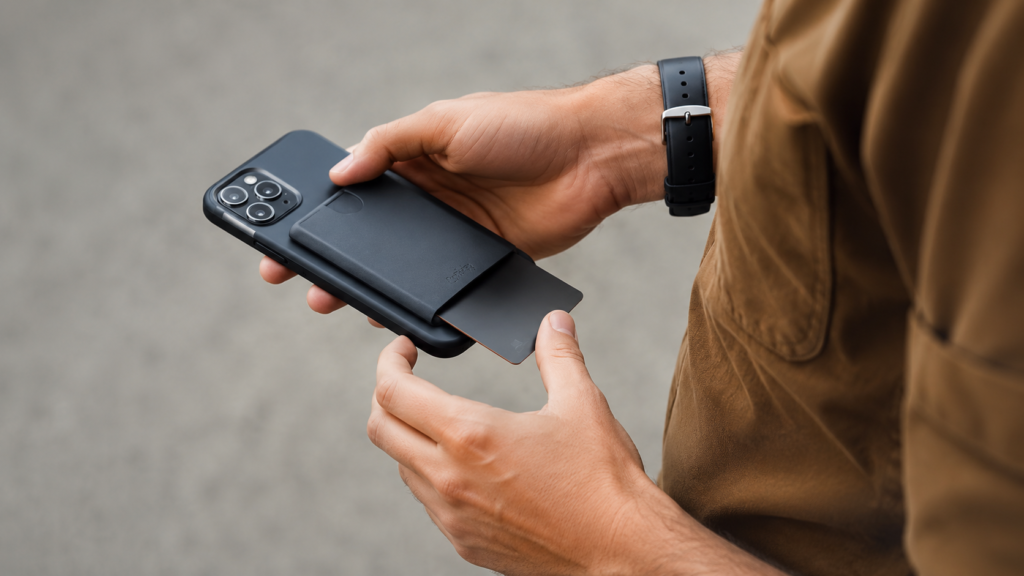
If your goal is to ditch your wallet entirely, look for a slim adhesive or MagSafe wallet with a simple three card slot and a low profile design that does not add noticeable bulk to your phone.
For Commuters and Travelers
A version with a built in kickstand is genuinely useful here, since it lets you prop your phone up for boarding passes, navigation, or watching something while waiting at a gate. Look for models that mention drop prevention or a secure grip feature, since a firmer hold matters more when you are moving through crowded spaces.
For Frequent Phone Swappers
If you tend to change phone cases or upgrade your device often, a MagSafe pop wallet with an adapter ring is the more flexible option, since you can transfer it between devices without dealing with adhesive residue each time.
For Style Focused Buyers
Many brands now offer softgoods, leather look, or patterned finishes rather than the standard hard plastic shell. If aesthetics matter to you as much as function, these premium finishes are worth the extra cost, though they are usually slightly thicker than basic models.
Common Problems and How to Avoid Them
Even a well made pop socket wallet can run into a few predictable issues. Here is how to prevent the most common ones.
The wallet keeps sliding off. This almost always comes down to surface compatibility. Clean the case surface with rubbing alcohol before applying the adhesive, and avoid textured or matte silicone cases if you are going the adhesive route.
Cards feel loose or fall out. Look for models with a locking flap, elastic edge, or friction lined pocket rather than an open sided slot, especially if you plan to carry your wallet phone in a bag or pocket where it might get jostled.
Adhesive loses stickiness over time. This is normal after months of use. Many brands sell replacement adhesive pads separately, so you do not need to buy an entirely new wallet just because the sticky backing has worn down.
The wallet blocks your camera or interferes with the lens. Always check the product photos or dimensions carefully, especially on phones with larger camera bumps, since a poorly placed wallet can partially cover the lens if positioned too high.
Caring for Your Pop Socket Wallet
A little maintenance goes a long way toward extending the life of your pop socket wallet.
- Wipe down the card pocket occasionally to remove dust or lint that builds up from pocket carry.
- Avoid leaving your phone in direct sunlight or a hot car for extended periods, since heat can soften both the adhesive and any softgoods material.
- If the grip feels loose, check whether the brand sells a replacement adhesive disc rather than assuming the whole unit needs replacing.
- Store spare cards elsewhere if you notice the wallet bulging or straining at the seams, since overloading it will shorten its lifespan.
Final Thoughts
A pop socket wallet is a small purchase, but it solves a real everyday problem: carrying essential cards without carrying a full wallet. The right choice comes down to matching the attachment style to your case, being realistic about how many cards you actually need to carry, and choosing a design that fits how you use your phone.
If you take one thing away from this guide, let it be this: check your case material before you buy. A perfectly good pop socket wallet can feel disappointing simply because it was paired with the wrong surface. Get that part right, and the rest of the experience tends to fall into place.
Frequently Asked Questions
Does a pop socket wallet work with a phone case, or only a bare phone?
It works with both, though it performs best on smooth, hard cases. Textured or silicone cases reduce adhesive grip significantly.
Can I remove and reuse a pop socket wallet on a different phone?
Adhesive versions can sometimes be reapplied, though the bond weakens each time. MagSafe versions transfer much more easily between compatible devices.
How do I remove a pop socket wallet without damaging my case?
Push one corner gently and slide it sideways rather than pulling straight up. This distributes the pressure evenly and reduces the risk of tearing the case surface.
Is a MagSafe pop socket wallet worth the extra cost compared to adhesive versions?
If your phone and case are already MagSafe compatible, yes. It offers cleaner removal, easier swapping, and generally a more secure magnetic hold than adhesive alone.
Will carrying cards in a pop socket wallet wear them out faster than a regular wallet?
Not typically. Cards experience similar wear from friction and bending in either format, though a wallet with a snug, supportive pocket will protect card edges better than a loose fitting one.