
Maya is a freelance photographer in Austin, Texas. She drives to weddings, portrait sessions, and location shoots all year, and in 2025 she drove just over 11,000 miles for work. At tax time she sat down to claim the mileage deduction, opened a fresh spreadsheet, and tried to rebuild a year of driving from memory. She could remember the big shoots. She could not remember the small ones. She could not remember dates, and she could not prove a single trip. Her accountant told her the truth she did not want to hear. Without a log written near the time of each trip, the deduction was not safe to claim. She gave up about 4,000 dollars in tax savings, not because the miles were not real, but because the record was not there. This guide shows you how to keep track of business mileage without an app so that never happens to you. The method costs nothing, takes seconds a trip, and produces a record the IRS accepts.
Apps are fine if you use them every day. Most people do not. They install a mileage app in January, open it twice, and forget it by March. A paper logbook or a simple spreadsheet works because it is always there, it never needs a charge, and it never asks you to log in. The IRS does not care which tool you use. It cares what you wrote down, and when you wrote it.
What the IRS Actually Wants From Your Mileage Log
The IRS has published the rules in Publication 463, and they are simpler than most people expect. For every business trip, your log needs four things. First, the date of the trip. Second, the destination. Third, the business purpose, meaning who you saw or what you did. Fourth, the number of business miles you drove. That is the whole list. A log with these four fields, written at or near the time of the trip, is what the IRS calls a contemporaneous record, and it is the standard your log will be judged against.
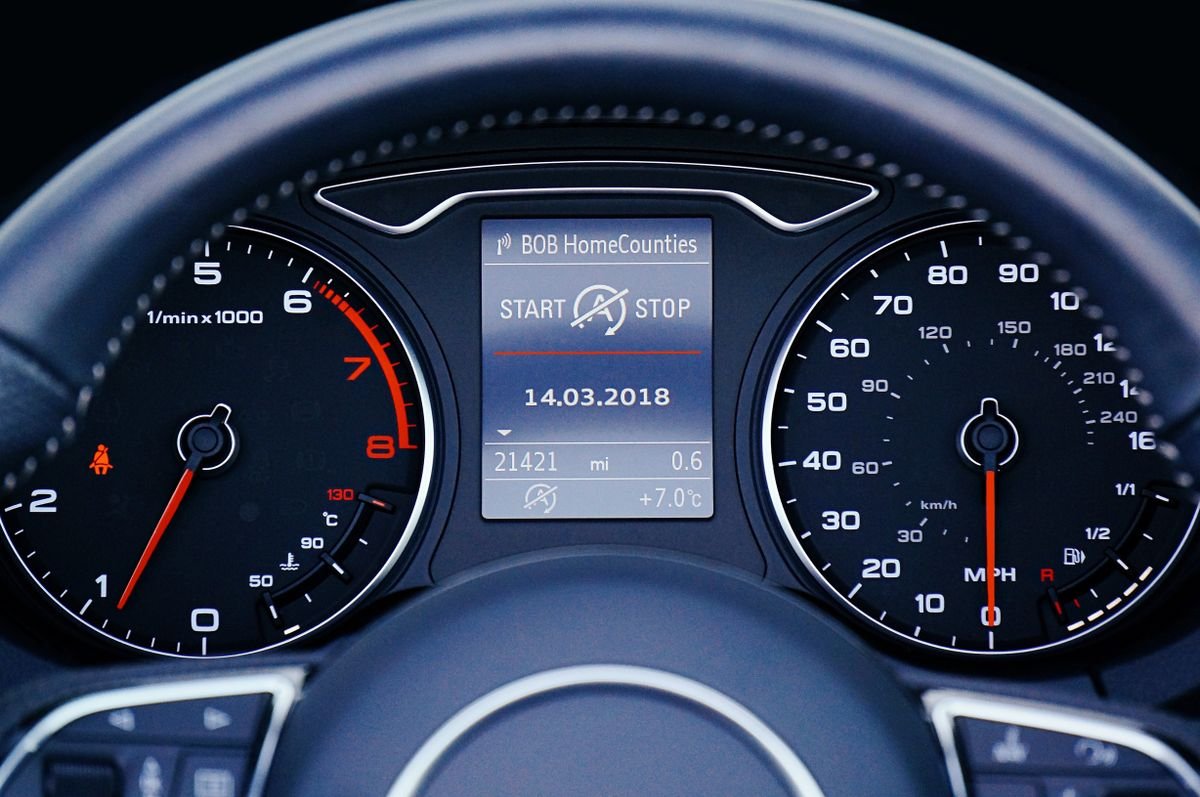
You also need two odometer readings for the year. Write down the odometer on January 1, or on the first day you use the car for business, and again on December 31. Those two numbers show your total miles for the year, and they let you work out what share of your driving was for business. You do not need an odometer reading for every trip. The four fields above are enough for each trip, and the year start and year end readings cover the rest.
For 2026 the standard mileage rate is 72.5 cents per mile. Multiply your total business miles by that rate and you have your deduction. If you drove 10,000 business miles, that is 7,250 dollars. That is real money, and it is why a ten second habit matters so much. Always check the current rate on IRS.gov before you file, because the rate changes from year to year.
The Paper Logbook Method
A paper logbook is the oldest method and still one of the best. Buy a small notebook that fits in your glove box or your door pocket, and keep a pen clipped to it. The notebook never runs out of battery, and it is always within reach when you park. The only rule is that the notebook stays in the car. The moment it comes inside the house, you will stop using it.

Before your first trip, write the year and your starting odometer reading on the inside cover. Then rule four columns on each page: date, destination, business purpose, and business miles. Some people add a fifth column for the starting and ending odometer, but it is not required. Keep the layout simple, because a layout you can fill in ten seconds is a layout you will actually use.
When you park at the end of a business trip, write the entry before you get out of the car. Date, where you went, why you went, and the miles. You can get the miles from your trip meter if you reset it at the start of the trip, or from a quick map check when you get home. If you forget the exact miles, write your best estimate the same day and mark it with a small star so you know to check it later. A same day estimate you later confirm is far stronger than a trip you try to remember three months later.
A simple logbook layout you can copy
Here is a layout that works for most solo owners. Copy it into your notebook and use the same columns every time.
| Date | Destination | Business purpose | Business miles |
|---|---|---|---|
| March 4, 2026 | Client office, 100 Main Street | Meeting with Acme Corp | 42 |
| March 5, 2026 | Office supply store | Printer paper and ink | 11 |
| March 6, 2026 | Photo studio, East 6th Street | Portrait session setup | 27 |
At the end of each month, add up the miles and write the total at the bottom of the page. That monthly total is what you will use later, and adding it up monthly means you never face a full year of addition in April. Keep your receipts with the log if you can. Fuel and toll receipts back up the story your log tells, and our guide to how to keep business receipts for tax shows a simple way to file them so nothing gets lost.
The Spreadsheet Method
If you prefer a screen to paper, a spreadsheet does the same job with one extra benefit: it adds the numbers for you. Open Google Sheets or Excel and make one tab per year. Use the same four columns as the paper log, date, destination, business purpose, and business miles, and add a running total at the bottom of the miles column. A formula in the total cell means you never add a column by hand again.
The spreadsheet lives on your phone, so fill it in from the car park before you drive away. Google Sheets saves every change as you type, so there is nothing to lose if your phone dies. If you share the sheet with your accountant, they can see your totals any time without you sending a file back and forth. Set the sheet up once in January and it will serve you all year.
One useful extra column is the client name. If you keep client details in a simple CRM for a one person business, you can match a trip to a client in seconds, and that match makes the business purpose of each trip obvious to anyone who reads the log later. A trip that says “meeting with Acme Corp about the spring catalog” is far more convincing than a trip that only says “meeting.”
Back the sheet up once a month. Download a copy to your computer or print the month to paper and keep it with your other tax records. A spreadsheet is only as safe as its latest backup, and a monthly backup takes less than a minute.
How to Keep Track of Business Mileage Without an App on Mixed Trips
Real driving is rarely clean. You drop the kids at school, then drive to a client. You stop for groceries on the way home from a job. The IRS understands this, and the rule is simple: only the business part counts. If you drive 30 miles to a client and then 5 miles to the grocery store on the way home, you log 30 business miles, not 35.

For trips with several stops, log each leg on its own line. Write the business leg with its miles and purpose, then write the personal leg separately and mark it personal so it never gets added to your business total. This takes a few extra seconds, and it is the single best way to keep a mixed trip honest. An auditor who sees personal legs marked clearly will trust the business legs far more.
Commuting does not count. If you have a regular office and you drive from home to that office, those are commuting miles, and they are not deductible. But if your home is your office, which is true for many freelancers, then a trip from home to a client site is a business trip. The same drive counts differently depending on where your office is, so know which one applies to you before you start logging.
If you use your car for both business and personal driving, keep the two kinds of trips in the same log but in separate columns, or mark personal trips clearly. At the end of the year your odometer readings will show total miles, your log will show business miles, and the gap between them is your personal driving. The numbers should line up. If they do not, the gap is usually a handful of forgotten personal trips, and finding them now is far easier than explaining them later.
The 10 Second Habit and the 5 Minute Weekly Check
The method only works if the habit holds, and the habit only holds if it is small. Make the rule this: you never leave the car after a business trip without writing the entry. Ten seconds. Date, destination, purpose, miles. That is the whole habit. Do it in the car park, before you pick up your phone or your bag, and it becomes automatic within a few weeks.
Then add a five minute check every week, on the same day each week. Sit down with your log and your calendar and ask three questions. Did I log every business trip this week? Do the miles look right against the calendar? Is there anything I need to fix while I still remember it? A weekly check catches the one trip you forgot on Tuesday while Tuesday is still fresh in your mind. A yearly check catches nothing, because by then the details are gone.
Keep a pen in the car and a spare in your bag. The most common reason a paper log fails is a missing pen, and the most common reason a spreadsheet fails is a dead phone battery. Small backups solve both. If you drive for work every day, put a second notebook in the glove box as a spare. It costs a dollar and it saves the week your main notebook gets left at a client site.
What to Do If You Forgot to Log Trips
Almost everyone misses trips. The question is what you do about it. If you notice within a few days, rebuild the trip from your calendar, your emails, and your phone location history. Your calendar shows where you were supposed to be, your email shows the meeting, and your location history shows where you actually went. Put the entry in with the best miles you can work out, and add a short note that says you rebuilt it from your calendar. An honest note about a rebuilt entry is far better than a blank week.
If you notice at the end of the year that whole months are missing, do not invent a log. Rebuild what you can from real records, claim only what you can support, and start a proper log for the new year. Claiming miles you cannot support is worse than claiming nothing, because a single made up entry can cast doubt on the whole log. The IRS can disallow the entire deduction if the log looks unreliable, so protect the good entries by being honest about the gaps.
The same honesty applies to your mileage total. If your log says you drove 12,000 business miles but your odometer shows you only drove 11,000 miles in total, something is wrong. Check for doubled entries, personal trips logged as business, or miles added twice. Fix the error, write a note about what you fixed, and move on. A log with one corrected mistake is stronger than a log that pretends to be perfect.
How Long to Keep Your Records
Keep your mileage log and your supporting records for at least three years after the date you file the return, and six years if you want a comfortable margin. The IRS generally has three years to ask questions about a return, and six years if income was underreported by a large amount. Keep the log with your tax return, not in the car, once the year is over. A notebook that stays in the glove box after December can be lost, damaged, or thrown away by accident.
Photograph your paper log at the end of each month and save the photos in a folder with your other tax records. That way a spilled coffee or a lost notebook costs you nothing. If you use a spreadsheet, keep a downloaded copy for each year in the same folder. Your future self, sitting down to file taxes in April, will thank you for a record that is complete, backed up, and easy to find.
Common Mistakes That Cost Real Money
The first mistake is logging miles without a purpose. A log that says “42 miles” with no destination and no reason is almost useless, because the IRS cannot tell whether the trip was business or personal. The purpose is the most important field, and it is the one people skip most often. Write the purpose every time, even if it feels obvious. Obvious today is forgotten by April.
The second mistake is rounding. If every trip in your log is exactly 10, 20, or 30 miles, the log looks estimated, because real trips are not round numbers. Record the real miles, even if they are odd numbers like 17 or 43. Odd numbers are believable. Round numbers invite questions.
The third mistake is claiming the commute. Home to a regular office and back is personal driving, and claiming it is one of the fastest ways to lose credibility with an auditor. If your home is your office, your trips to clients are business trips, but the drive to a coworking space you use every day is not. Know the difference and log accordingly.
The fourth mistake is keeping two logs. If you start in a notebook, switch to a spreadsheet in June, then go back to paper in October, you will lose trips in the gaps between systems. Pick one method and stay with it for the whole year. You can change methods in January, when a new year gives you a clean start, but never in the middle of a year.
The fifth mistake is waiting until tax time. A log built in April from memory is not a log, it is a guess, and the IRS treats it that way. The habit takes ten seconds a trip. The rebuild takes hours and still fails. Do the ten seconds.
Your mileage log is part of a bigger picture. Once your miles are tracked, your totals flow straight into your yearly accounts, and our guide to a simple profit and loss statement in Excel shows how to turn those totals into a clear view of what your business earned and spent.
Conclusion
You do not need an app to keep track of business mileage. Learning how to keep track of business mileage without an app takes one afternoon to set up and ten seconds a trip to keep. You need a notebook or a spreadsheet, four fields per trip, and a ten second habit at the end of every drive. Write the date, the destination, the business purpose, and the miles, before you get out of the car. Check the log for five minutes once a week. Record your odometer on January 1 and December 31. Keep the record for at least three years. That is the whole system, and it is enough to support a deduction worth thousands of dollars.
Maya now keeps a notebook in her glove box and a spreadsheet as a backup. She logs each trip before she unloads her camera gear, and she checks the log every Sunday evening. Her 2026 deduction is already over 6,000 dollars in mileage, and every mile of it is written down with a date, a destination, and a reason. Start your log today, on the next trip you take, and your April self will be glad you did.
Frequently Asked Questions
Is a handwritten mileage log accepted by the IRS?
Yes. The IRS accepts handwritten logs, and it has done so for decades. The rules are about what the log contains, not what tool made it. A handwritten log with the date, destination, business purpose, and miles for each trip, written near the time of the trip, meets the standard.
What does the IRS require in a mileage log?
Four things for each trip: the date, the destination, the business purpose, and the number of business miles. You also need odometer readings at the start and end of the year to show total miles. That is the full list in Publication 463.
Can I track mileage in a spreadsheet?
Yes. A spreadsheet is fully acceptable if it has the same four fields and you fill it in near the time of each trip. Use one tab per year, add a running total, and back the file up once a month.
What is the standard mileage rate for 2026?
The standard mileage rate for 2026 is 72.5 cents per mile. Multiply your total business miles by that rate to work out your deduction. Always check IRS.gov for the current rate before you file, because it changes from year to year.
Can I claim mileage if I forgot to keep a log?
You can rebuild recent trips from your calendar, emails, and phone location history, and claim the trips you can support with those records. You cannot safely claim trips you cannot support. Rebuild what you can, claim only what you can prove, and start a proper log for the next trip you take.