

Maya runs a small cleaning business in Leeds. She has twelve regular clients, a van that drinks petrol like it is thirsty, and a diary full of bookings. For two years she kept every receipt in a shoebox under her kitchen table. When her first Self Assessment deadline arrived, she sat down with that shoebox and a sinking feeling. The box held faded till slips, a petrol receipt washed blank in a coat pocket, and three invoices she could not match to any job. Her accountant found £600 of spending she could not prove, and that £600 stayed off her tax return. It was money she had earned and spent, and she could not claim a penny of it back.
Maya is not careless. She is busy, and her system was no system at all. That is the story behind most small business bookkeeping messes. The problem is rarely a lack of effort. It is a lack of a simple routine that survives a busy week. This guide shows you how to keep track of business expenses without software, using a plain spreadsheet, a receipt routine and a weekly habit that takes about twenty minutes. No monthly subscription, no accounting package to learn, and no shoebox.
The method works best for sole traders, freelancers and very small businesses with a modest number of transactions each month. If that sounds like you, read on. You will learn what HMRC expects from your records, how to build a ledger in an afternoon, and how to keep it honest with almost no effort.
Why tracking expenses without software works for small businesses
Accounting software is powerful, but power is not always what a small business needs. A sole trader with forty transactions a month does not need invoicing, payroll, stock control and a dashboard. They need to know what came in, what went out, and what they can claim. A simple spreadsheet answers all three questions, and it answers them in seconds.
There is also a cost question. Popular accounting packages charge every month, year after year. For a business turning over £20,000 a year, that subscription is real money. A spreadsheet costs nothing, and a paper ledger costs even less. The money you save stays in the business, where it belongs.
The third reason is control. When you build your own ledger, you understand every number in it. You know why a category exists, because you created it. You know where each figure came from, because you typed it. That understanding matters at tax time, when your accountant asks a question and you can answer it without opening three different apps.
None of this means software is bad. It means software is a tool for a later stage. Many successful businesses run for years on a spreadsheet before they outgrow it. The trick is to build a manual system properly, so it works from day one and scales with you until the day you genuinely need more.
What HMRC expects from your records
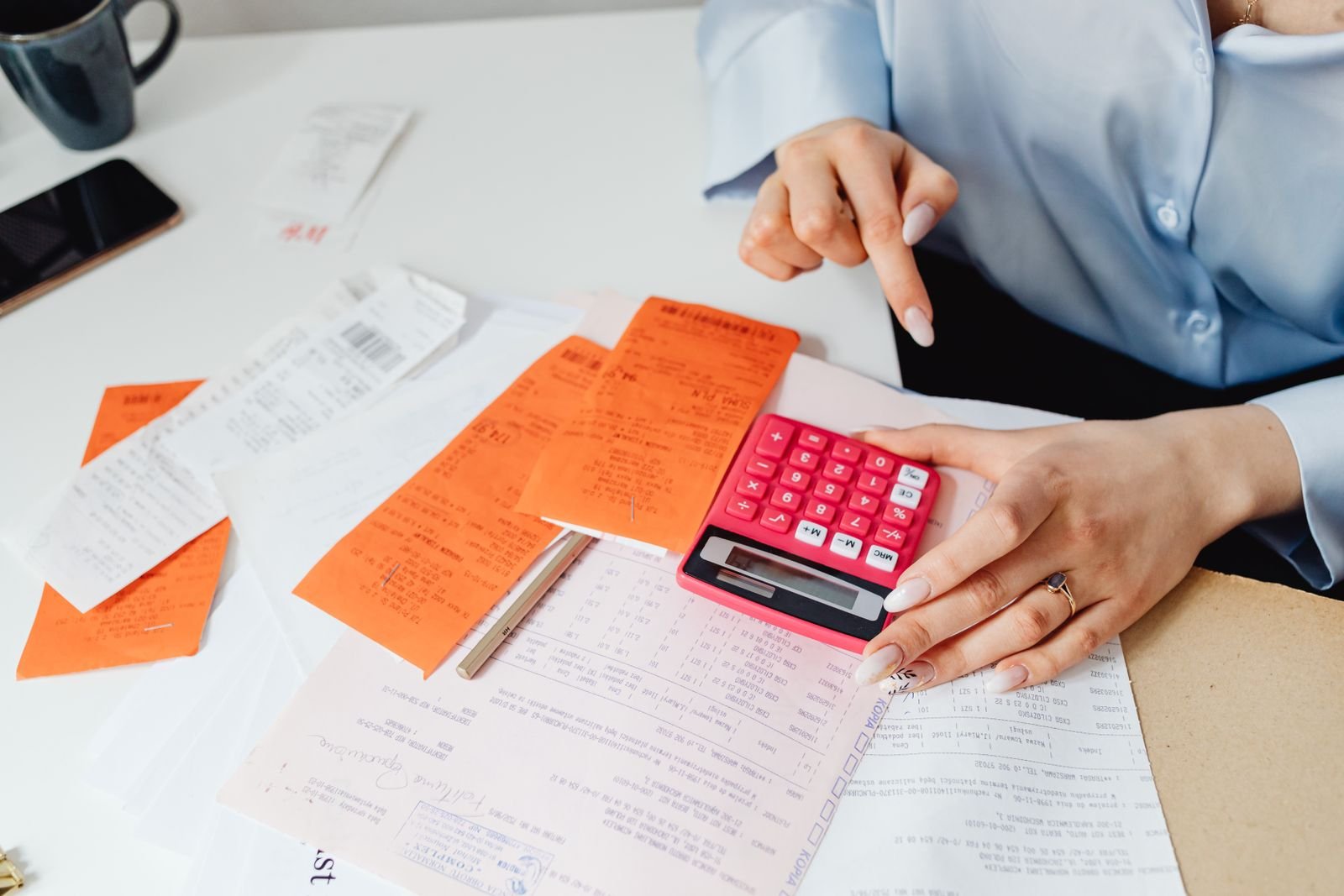
Before you build anything, it helps to know the rules you are building for. HMRC does not require you to use accounting software. What it requires is records that show your income and your expenses clearly enough to complete an honest tax return. Every expense you claim needs a date, an amount, a supplier and a business purpose. A bank statement proves you paid something, but it does not prove what you bought or why, so it is not enough on its own.
If you are self employed, you must keep your records for at least five years after the 31 January filing deadline for the tax year they belong to. For the 2025 to 2026 tax year, that means keeping records until at least 31 January 2032. Paper fades and gets lost, so a digital copy of every receipt is worth making, even in a manual system. A clear phone photo stored in a dated folder counts as a record, provided the amount and supplier are readable.
There is one change on the horizon that every small business owner in the UK should know about. Under Making Tax Digital for Income Tax, self employed people and landlords will need to keep digital records and send HMRC quarterly updates using compatible software. The start dates depend on income: over £50,000 from April 2026, over £30,000 from April 2027, and over £20,000 from April 2028. Below £20,000 you sit outside the rules for now, though you can join voluntarily.
This does not make a manual system pointless. A plain spreadsheet can still be your real record, as long as it connects to HMRC through bridging software when the time comes. And if your income sits below the thresholds, the manual method in this guide remains fully valid. The point is to know where you stand, and to build records that will survive a rule change.
How to keep track of business expenses without software
The system has six parts, and each one takes only a few minutes to set up. Together they form a loop: money is separated, every expense is captured the same day, the numbers are entered in one place, and a short weekly review keeps everything honest. Follow the steps in order, and by the end of the week you will have a working ledger.
Step 1: Separate business money from personal money
This is the foundation, and it costs nothing. Open a separate bank account for the business, and get a separate card for it. Run every business purchase through that account, and keep personal spending on your personal accounts. The moment you mix the two, every later step gets harder.
Separation does two things. First, it gives you a complete list of business spending without any detective work. Your business bank statement is your list. Second, it protects you at tax time, because there is no argument about whether a payment was business or personal. If it went through the business account, it was business.
If you cannot open a business account yet, open a second personal account and use it only for the business. The label on the account matters less than the discipline of keeping the money apart. Transfer money into the business account to fund it, and transfer money out to pay yourself. Never pay for a business expense from a personal card if you can avoid it, and never pay for groceries with the business card.
Step 2: Build a simple spreadsheet ledger
Open Google Sheets or Excel and create one workbook for the tax year. Name it clearly, for example Business Expenses 2026 to 2027. Create a single sheet called Transactions, and give it seven columns: Date, Supplier, Description, Category, Amount, Payment method, and Receipt location. Each row is one expense. That is the whole ledger.
Keep the columns simple on purpose. Date tells you when the money moved. Supplier tells you who received it. Description tells you what it was, in plain words. Category tells you which bucket it belongs in, and you will set those buckets in step four. Amount is the total you paid, including VAT. Payment method tells you which card or account it came from. Receipt location tells you where the proof lives, for example a folder name or a file name.
Add a second sheet called Summary. List your categories down the left side and the months across the top. Use the SUMIFS formula to pull totals from the Transactions sheet into each cell. If formulas feel intimidating, you can total each category by hand once a month with a calculator. The formula simply saves time. Either way, the Summary sheet is where you see the shape of your spending at a glance.
Save the workbook in a cloud folder, not only on one laptop. Google Sheets saves automatically. If you use Excel, store the file in Google Drive, Dropbox or OneDrive so a broken laptop never takes your records with it. Make a copy of the blank workbook and keep it as a template for next year.
Step 3: Capture every receipt the same day
The single habit that decides whether this system works is same day capture. The moment you get a receipt, deal with it before it goes through the wash, vanishes into a glovebox, or fades in sunlight. Thermal till receipts fade fast, sometimes within months, so a photo taken today is worth far more than the paper slip in six months.
Make capture effortless. Keep one folder on your phone called Business receipts, or one email folder with the same name. When a paper receipt arrives, photograph it and drop it in the folder. When a receipt arrives by email, forward it to the same folder. Name each file with the date and the supplier, for example 2026 11 20 petrol station Leeds. A plain name beats a clever system you will not maintain.
Then enter the expense in your ledger the same day, or at the very latest the next morning with your coffee. One row, seven columns, thirty seconds. The longer you leave it, the more you forget, and forgotten expenses are lost money. Maya lost £600 because she left receipts to pile up for months. A thirty second habit would have saved all of it.
Step 4: Sort expenses into a short list of categories
Categories turn a pile of receipts into a tax return. Without them, you have a list. With them, you have a story about where the money went. The trick is to keep the list short. Eight to twelve categories cover almost every small business. More than that, and logging each expense becomes a chore you will abandon.
A good starting list for a service business looks like this: materials and supplies, vehicle and travel, phone and internet, software and subscriptions, office supplies, marketing and advertising, professional fees, insurance, training, and other. Adjust the names to match how your business actually spends. A cleaner needs cleaning supplies as a category. A gardener needs plants and fuel. A tutor needs books and travel.
Match your categories loosely to the expense lines on a Self Assessment tax return, so the year end transfer is painless. You do not need an accountant’s chart of accounts. You need buckets that make sense to you and that map cleanly to the return. If an expense could fit two categories, pick one and note your choice in the Description column, so next time you choose the same one.
Be honest about mixed use. If you use your phone for business and personal calls, claim only the business share, and note the percentage in your ledger. If you work from a room at home, claim only the business proportion of the bills. HMRC allows reasonable claims for genuine business use, but it expects the split to be sensible and consistent.
Step 5: Run a twenty minute weekly review
Pick one fixed time each week, for example Friday afternoon, and protect it. The review has four jobs, and it should take about twenty minutes in total. First, enter any expenses you missed during the week, about five minutes. Second, check each new row against its receipt, about eight minutes. Third, log any mileage if you drive for the business, about two minutes. Fourth, check which invoices are still unpaid and send a friendly reminder for any that are past due, about five minutes.
The rule is simple: nothing leaves the week unrecorded. Twenty minutes weekly beats five hours at year end, and it beats the panic of a shoebox every time. Put the review in your diary as a repeating appointment, the same way you would a client booking. It is a booking with your own business, and it deserves the same respect.
During the review, also glance at your Summary sheet. Are any categories growing faster than your income? Did a subscription renew that you forgot about? Is one supplier suddenly costing far more than last month? A weekly look catches these things while they are small. A yearly look catches them when the money is already gone.
Step 6: Do a monthly totals check
Once a month, add up income and expenses and work out the difference. Then ask three questions. Which customers or products brought in the most? Which cost grew faster than income? Did I set aside money for tax? That last question is the one most small businesses get wrong.
Put a fixed percentage of every payment aside for tax as you go, using the rate that applies to your income. A common starting point for a basic rate taxpayer is twenty percent of profit, but your own rate depends on your total income, so check it with an accountant if you are unsure. Keep the tax money in a separate savings account, so it is never accidentally spent. When the tax bill arrives, the money is already there, and the bill is a formality rather than a crisis.
The monthly check is also the moment to reconcile your ledger against your bank statement. Your bank shows what actually left the account. Your ledger shows what you recorded. The two should match. If they do not, something is missing, and a month is a small enough gap to find it. A year is not.
The envelope and notebook method for people who hate spreadsheets
Not everyone likes a spreadsheet, and a system you hate is a system you will abandon. If screens are not your thing, the envelope and notebook method works just as well, and it has kept small businesses honest for generations.
Take twelve envelopes, one for each month, and label each with the month and year. Take a notebook and rule it into columns: date, what you bought, supplier, amount, and category. Every time you spend business money, write it in the notebook and put the receipt in the current month’s envelope. At the end of the month, add up the notebook columns and write the totals on the front of the envelope. Store the envelopes in a box, in order.
The notebook is your ledger and the envelope is your proof. It is slower than a spreadsheet, and it cannot total itself, but it is real, it is simple, and it works. The same rules apply: capture the same day, keep categories short, and review weekly. If you drive for the business, keep a mileage log in the same notebook, with date, start point, destination, purpose and miles. Our guide to how to keep track of business mileage in the UK shows a simple log format that pairs well with this method.
One warning applies to paper systems more than any other. Thermal receipts fade. If you keep paper receipts, photograph them as a backup, even if you never touch a spreadsheet. A faded receipt is no receipt at all, and HMRC will not accept a blank slip.

Common mistakes that cost small businesses money
The first mistake is mixing personal and business spending. It feels harmless to buy printer paper with a personal card and sort it out later. It is not harmless. Later never comes, and the expense quietly disappears from your records. Separation is the cheapest fix in this whole guide.
The second mistake is forgetting small cash expenses. A £3 parking ticket, a £6 pack of cleaning cloths, a £4 coffee with a client. Each one feels too small to record. Added up over a year, small cash spending often reaches several hundred pounds. Record every expense the same day, no matter how small, and the small amounts stop leaking away.
The third mistake is having no receipt at all. A bank statement line is not proof of what you bought. If you cannot produce a receipt or an invoice, you cannot safely claim the expense. Capture the proof at the point of sale, every time, and the problem disappears.
The fourth mistake is leaving everything to year end. Twelve months of receipts is a wall, not a task. A weekly habit of twenty minutes is a molehill. The businesses that struggle at tax time are almost always the ones that saved everything for January.
The fifth mistake is claiming expenses that are not really business costs. A new television for the living room is not a business expense because you sometimes watch business videos on it. A lunch with a friend is not a client meeting. HMRC can ask for proof, and it can disallow claims that do not hold up. When in doubt, ask an accountant before you claim, not after.
When it is time to move to software
A manual system has a natural limit. Watch for these signs. You process more than a hundred transactions a month, and the weekly review has grown past an hour. You employ staff, and you need payroll. You are VAT registered, and the quarterly returns take a full day. Your income has crossed the Making Tax Digital threshold, and you need compatible software anyway. Any one of these is a good reason to move on.
Moving to software is easier when your manual records are clean. Your categories become the categories in the new package. Your receipt folders become the attachments. Your monthly totals become the opening figures. A year of tidy spreadsheet records makes the switch a weekend job. A year of shoebox chaos makes it a project.
Until you reach that point, there is no shame in a spreadsheet. Some of the tidiest small businesses in the country run on one. The tool matters far less than the habit. A £30 a month package with no habit behind it will fail. A free spreadsheet with a weekly habit will not.
Keep your receipts organised too
Expense tracking and receipt organisation are two halves of the same job. A ledger tells you what you spent, and a receipt file proves it. If your digital receipts are scattered across your inbox, our guide to how to organise digital receipts for a small business with your phone shows a phone based routine that works alongside the ledger in this guide. And if your business spends on stock or supplies, the same discipline applies there: our guide to how to do a competitor price check for a small business can help you check whether you are paying a fair price before the expense ever reaches your ledger.
Conclusion: a simple system beats a perfect system you never use
Maya still runs her cleaning business in Leeds. She still has twelve clients and the same thirsty van. What changed is the shoebox. It is gone. In its place is a spreadsheet with seven columns, a phone folder full of receipt photos, and a Friday afternoon habit that takes twenty minutes. At her last tax return, every expense was recorded, every receipt was filed, and nothing was lost. Her accountant finished the return in a single meeting.
That is the whole point. Learning how to keep track of business expenses without software is not about avoiding technology. It is about choosing the simplest tool that does the job, and then using it every week without fail. Separate your money. Build a simple ledger. Capture every receipt the same day. Keep your categories short. Review weekly, total monthly, and set tax money aside as you go.
Start today, not in January. Open a spreadsheet, create the seven columns, and enter the last three business expenses you can remember. Photograph the receipts sitting in your wallet right now. That is the system, already running. The rest is just keeping it going, one week at a time.
Frequently asked questions
Can I track business expenses without software in the UK?
Yes. HMRC does not require accounting software. It requires clear records showing income and expenses, with a date, amount, supplier and business purpose for each item. A spreadsheet ledger plus stored receipts meets that standard, provided you keep the records for at least five years after the filing deadline.
What is the simplest way to track business expenses?
Use a separate bank account, a spreadsheet with seven columns, and a same day receipt habit. Enter each expense the day it happens, sort it into one of eight to twelve categories, and review the ledger for twenty minutes every week.
How long should I keep business expense records?
If you are self employed in the UK, keep records for at least five years after the 31 January online filing deadline for the tax year they belong to. Photograph paper receipts as a backup, because thermal till slips can fade within months.
Do I need to use software under Making Tax Digital?
It depends on your income. Making Tax Digital for Income Tax starts for income over £50,000 from April 2026, over £30,000 from April 2027, and over £20,000 from April 2028. Below £20,000 you sit outside the rules for now. A spreadsheet can still be your record, connected to HMRC through bridging software when required.
What expenses can a small business claim without software?
The same expenses you could claim with software: materials, travel, phone and internet, office supplies, marketing, professional fees, insurance and training, as long as each cost is wholly and exclusively for the business. Keep the receipt and record the business purpose, and claim only the business share of any mixed use cost.