
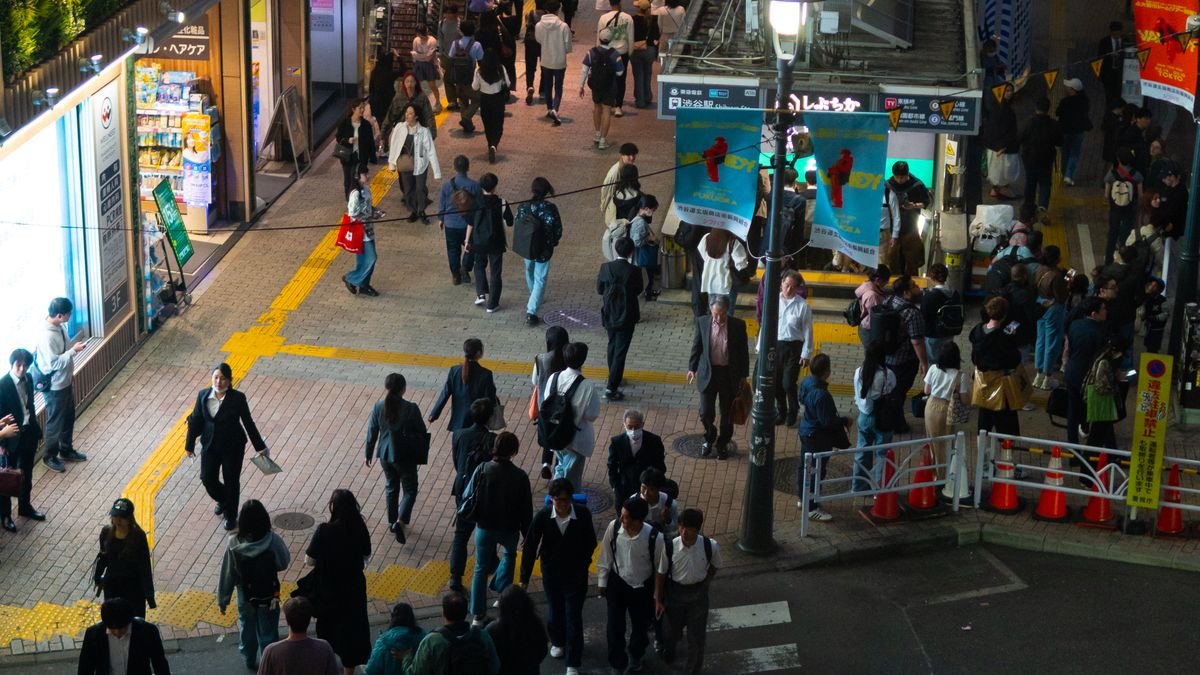
Touching down in Japan is exciting and a little overwhelming. The signs are in Japanese, the train map looks like a bowl of noodles, and your phone has just lost its signal. Sorting out internet access before you leave home is one of the smartest things a visitor can do.
This guide explains how to stay connected in Japan as a tourist. You will find the five main options compared side by side, real prices in yen, a data budget for different trip styles, and the exact setup steps to follow before departure and after landing.
Why Staying Connected Matters So Much in Japan
Japan runs on mobile data. Google Maps tells you which platform your train leaves from and which exit to take at giant stations like Shinjuku. Translation apps read menus and signs through your camera. Hotels and guesthouses send arrival codes by message, and many restaurants now take bookings through apps only.
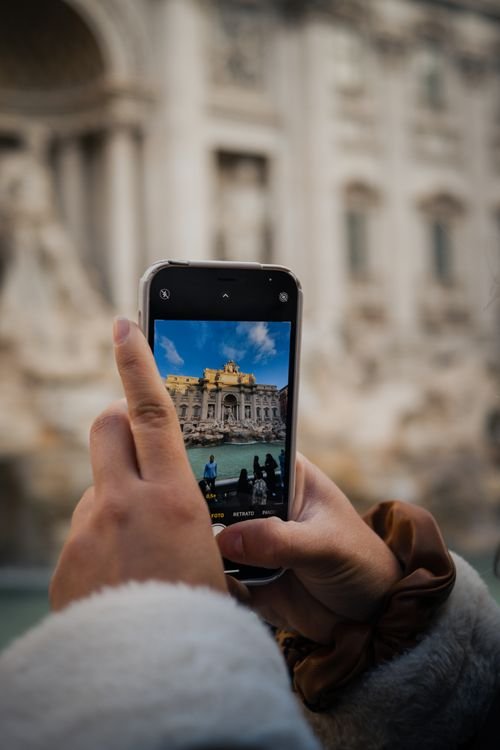
The rail network is another reason. Timetables change, platforms shift, and the last train home waits for no one. A live connection means you can check departures, buy digital tickets, and top up your transit card in seconds. Without data, even a simple trip across Tokyo can turn into a stressful guessing game.
Then there is the fun side. Posting photos, video calling family, finding the ramen shop everyone keeps talking about, checking whether a shrine is open today. All of it needs a reliable connection, and hotel WiFi alone will not cover you while you are out exploring.
How to Stay Connected in Japan as a Tourist: The Five Options at a Glance
There are five realistic ways to get online as a visitor. Here is the short version before we go deeper into each one.
| Option | Best For | Typical Cost | Setup |
|---|---|---|---|
| eSIM | Solo travelers and couples | From about ¥2,480 per week | Online before departure |
| Pocket WiFi | Families and groups | From about ¥540 per day | Airport pickup or hotel delivery |
| Physical SIM card | Older phones without eSIM | From about ¥2,480 per week | Airport counter or online order |
| International roaming | Short trips and convenience | Often ¥1,500 or more per day | Automatic with your carrier |
| Free public WiFi | Backup use only | Free | Register at each hotspot |
eSIM
An eSIM is a digital SIM you install on your phone, usually by scanning a QR code. You buy the plan online before you fly, install it at home, and it activates the moment you land. There is nothing to collect at the airport and nothing to return.
For most visitors with a recent unlocked smartphone, this is the simplest choice. Plans for tourists typically offer 5 GB to 20 GB for seven days, with unlimited options available for heavy users. Prices start around ¥2,480 for a week of data. One warning: your phone must be carrier unlocked and eSIM compatible, which covers most models made after 2018.
Pocket WiFi
Pocket WiFi is a small rental router that creates a personal hotspot for your devices. You pick it up at the airport or have it delivered to your hotel, then return it by post or at a drop box when you leave.
The big advantage is sharing. One router can connect five to ten devices at once, which makes it excellent for families, groups of friends, and anyone carrying a laptop and a tablet alongside a phone. Daily rates start around ¥540, so for a group of four it is often the cheapest option per person. The downsides are real though. It is one more device to carry and charge, and when its battery dies, everyone goes offline together.
Physical SIM Card
The classic option. You buy a prepaid data SIM made for tourists, either online before departure or at an airport counter on arrival. You will need your passport for registration, and you swap it into your phone in place of your home SIM.
Physical SIMs suit travelers whose phones do not support eSIM. Weekly data plans start around ¥2,000 from budget providers, with familiar tourist brands charging a little more. Keep your home SIM somewhere safe, because losing it means no service when you get back.
International Roaming
Roaming means using your home plan abroad exactly as you would at home. It is effortless, and for very short trips the convenience can be worth it. The problem is the price. Many carriers charge ¥1,000 to ¥1,800 per day for a Japan travel pass, and pay per use rates can be far worse.
Check your carrier’s Japan rates before you decide. A few plans include Japan at no extra charge, and in that case roaming is genuinely the easiest answer. For everyone else, a week of roaming often costs more than an entire eSIM plan.
Free Public WiFi
Japan has free WiFi in airports, major stations, convenience stores, and many cafes. It costs nothing and it works fine for a quick message or map check. As a main plan, it falls short. Networks often require registration with an email address, sessions time out, and coverage vanishes the moment you leave the station.
There is also a security angle. Open networks in busy tourist areas are exactly where you should avoid logging into banking apps or entering card details. Treat public WiFi as a backup, not as your connection strategy. If you are sitting in a cafe trying to figure out how to ask for the bill in Japanese, free WiFi is perfect. For navigating to your hotel at midnight, it is not.
eSIM vs Pocket WiFi: Which Should You Choose?
This is the decision most tourists wrestle with, so here is a simple way to think about it.
Choose an eSIM if you travel solo or as a couple, your phone is recent and unlocked, and you want the lightest possible setup. You install it before departure and forget about it. Your phone battery does all the work, which is fine for normal sightseeing days.
Choose pocket WiFi if you travel as a family or a group, if anyone in the group has an older phone, or if you need to keep a laptop online too. The per person cost beats individual eSIMs once you pass three or four people, and one device keeps every screen in the group connected.

Business travelers fall somewhere in between. If you are working remotely with a Japanese team and need stable video calls from your laptop, pocket WiFi gives you a dedicated connection. For lighter work like email and chat, an eSIM with hotspot sharing is plenty.
How Much Data Do You Need in Japan?
Running out of data mid trip is worse than paying a little extra upfront. Use this rough guide to size your plan.
| Traveler Type | Daily Use | One Week Total | Suggested Plan |
|---|---|---|---|
| Light | Maps, messaging, occasional browsing | 2 GB to 4 GB | 5 GB weekly plan |
| Moderate | Maps, translation, social media, photo uploads | 6 GB to 12 GB | 10 GB to 20 GB weekly plan |
| Heavy | Video calls, streaming, hotspot sharing | 20 GB and up | Unlimited plan |
Maps and train apps use surprisingly little data. What eats your allowance is automatic photo backup, video autoplay in social apps, and streaming. Before you fly, turn off automatic cloud uploads over mobile data and disable video autoplay. Those two changes alone can halve a moderate user’s consumption.
Before You Fly: The Setup Checklist
Do these six things at home, on your own WiFi, and your arrival will be smooth.
- Check that your phone is unlocked. Call your carrier or check your settings. A locked phone cannot use any Japanese SIM or eSIM.
- Check eSIM compatibility. On iPhone, look under Settings, General, About for available digital SIMs. On Android, search settings for eSIM. Most flagship phones from 2019 onward support it.
- Buy your plan before departure. Order the eSIM or physical SIM online a few days ahead. For pocket WiFi, book the rental with airport pickup or hotel delivery.
- Download offline maps. In Google Maps, download the regions you will visit. They are your safety net if anything goes wrong with your data.
- Install a translation app. Download the Japanese language pack for offline use so the camera translator works without a connection.
- Note your carrier’s roaming toggle. Turn data roaming off for your home line before you land, so your phone does not connect through your expensive home plan by accident.
One important detail: some travel eSIMs actually require data roaming to be switched on to work, because the eSIM connects through a partner network. This is normal and it does not trigger your home carrier’s roaming charges, since the eSIM carries its own prepaid plan. Read the setup instructions from your eSIM provider and follow them exactly.
Your First 30 Minutes After Landing in Japan
Whether you arrive at Narita, Haneda, Kansai, or Chubu, the sequence is the same. First, connect to the airport’s free WiFi, which is genuinely free and needs no registration at the major airports. Second, activate your eSIM or insert your SIM, following the provider’s steps while you still have that airport WiFi as a backup.
Third, confirm you actually have data. Open your maps app, search for your hotel, and check that directions load. Catching a problem inside the terminal is far easier than discovering it on a train. Fourth, if you rented pocket WiFi, collect it from the counter now and charge it while you ride into the city.

Using Public WiFi in Japan Safely
Free WiFi has its place in your trip, and a few habits keep it safe. Never log into banking apps or enter payment details on an open network in a station or cafe. If you must handle anything sensitive, switch to your eSIM data or turn on a VPN first.
Be wary of networks with generic names in tourist areas. A hotspot called Free WiFi Tokyo might be run by anyone. Stick to official networks from the venue itself, such as the airport, your hotel, or the cafe chain you are sitting in. And remember that many convenience store and station networks require fresh registration each time, so they are fine for a quick check but annoying as a routine.
Battery Tips for Long Sightseeing Days
Constant map use, translation, and photo taking drain a phone faster than a normal day at home. Carry a small power bank in your day bag. A 10,000 mAh unit weighs less than a paperback and will recharge most phones twice.
Pocket WiFi users have two devices to keep alive, so charge the router every night along with your phone. Restaurants and cafes rarely mind you plugging in during a meal, and many Shinkansen seats have power outlets. Lowering screen brightness and closing unused apps also stretches the day noticeably.
Final Takeaways
Staying connected in Japan as a tourist comes down to one decision made before you leave home. Solo travelers and couples with modern phones should grab an eSIM. Families and groups should rent pocket WiFi. Everyone else should pick the physical SIM or roaming option that fits their phone and trip length, and treat free public WiFi as a backup rather than a plan.
Buy the plan before departure, check that your phone is unlocked, download offline maps as insurance, and test your data at the airport before heading into the city. Do that and your phone becomes the best travel companion in Japan instead of a source of stress.
Frequently Asked Questions
Is pocket WiFi worth it in Japan?
For groups of three or more, usually yes. One router connects every device at a daily rate that beats buying separate plans per person. For solo travelers with a modern phone, an eSIM is simpler and cheaper.
eSIM or pocket WiFi for Japan, which is better?
eSIM wins for solo travelers and couples because there is nothing to carry, charge, or return. Pocket WiFi wins for families, groups, and travelers with older phones that do not support eSIM.
Does my phone work in Japan?
Almost certainly, as long as it is carrier unlocked and supports the right network bands. Most phones made after 2018 work fine. Check eSIM support in your settings if you plan to use an eSIM.
How much does internet cost in Japan for tourists?
A week of eSIM or SIM data starts around ¥2,480. Pocket WiFi rentals start around ¥540 per day. Carrier roaming typically costs ¥1,000 to ¥1,800 per day, making it the most expensive option for longer trips.
Can I rely on free WiFi in Japan instead of buying a plan?
Not comfortably. Free WiFi exists in airports, stations, and cafes but it needs repeated registration, times out, and disappears between stops. Use it as a backup alongside a real data plan.