

Maya from Austin opened her bank statement on a Sunday morning and stopped at a charge she did not recognize. It was $14.99, billed by a company name she had never heard of, and it had been leaving her account every single month. She traced it back to a free trial she had started in January for a meditation app she used exactly twice. That one forgotten subscription had cost her more than $130 before she noticed it. Then she kept looking, and the total got worse.
If that story feels familiar, you are not careless. You are up against a system designed to be forgotten. Subscriptions are small, quiet, and automatic. They renew while you sleep, they bill under names that do not match the app on your phone, and they spread across cards, app stores, and email accounts so no single place shows the full picture. Learning how to keep track of subscriptions you forgot about is not about being more organized. It is about running one simple audit, then keeping a list that does the remembering for you.
A 2022 survey by C+R Research found that people guessed they spent $86 a month on subscriptions while the real figure was $219. That gap is the whole problem in one number. The money is real, the memory is not, and the fix takes about 30 minutes. This guide walks you through the audit step by step, shows you where forgotten charges hide, and ends with a tracker so simple you will actually keep using it.
Why Subscriptions Are So Easy to Forget
Forgetting a subscription is not a personal failure. Four features of the subscription business make forgetting almost inevitable, and understanding them is what makes the audit work.
First, the amounts are small on purpose. A $4.99 charge or a $9.99 charge is easy to skim past on a statement, especially when it sits between a grocery bill and a gas station charge. Your brain is good at noticing a $400 surprise. It is terrible at noticing twelve small ones. The companies know this. Small charges survive for years precisely because they never trigger alarm.
Second, the billing name rarely matches the product. A charge from a streaming service might appear under the name of its parent company. A charge from an app might appear as the App Store or Google Play, with no mention of the app itself. A charge from a software tool might appear under a payment processor. When the name on the statement means nothing to you, your eyes slide right past it.
Third, free trials turn into paid plans without asking you again. You sign up for seven days free, you try the service once, life gets busy, and the trial quietly becomes a monthly charge. Many services also offer a yearly plan at a discount, which is worse for forgetting: one charge, once a year, eleven months after you last thought about it.
Fourth, subscriptions live in too many places. Some bill your credit card directly. Some bill through Apple. Some bill through Google Play. Some bill through PayPal. Some bill through Amazon or Roku. No single screen shows all of them, so you can check one place, find nothing new, and feel finished while three forgotten charges keep running somewhere else. The audit below covers all four hiding places.
How to Keep Track of Subscriptions You Forgot About
Here is the audit. Set aside 30 minutes, grab your phone and your laptop, and work through the four places where a recurring charge leaves a trace. Write down every subscription you find as you go, with its amount, how often it bills, and which card or account it hits. Do not try to list them from memory first. Memory is exactly what failed here. The paper trail is the audit.
Step 1: Read Three Months of Bank and Card Statements
Your statement is the master list. Every subscription, no matter who bills it, eventually becomes a charge on a card or a bank account. Download or open the last three months of statements for every card and bank account you use. Three months catches everything billed weekly, every two weeks, or monthly. For yearly plans, search the last 12 months as well, since a yearly charge only appears once.
Go through each statement line by line. Mark every charge that repeats: the same name on roughly the same day each month, usually for the same amount. Mark the small ones first. A $2.99 or $4.99 charge is easy to skim past, and it is where forgotten apps tend to live. Mark any name you do not recognize, then look it up. Billing names are often a shortened version of the brand, so a quick search usually reveals what it is.
Cover every payment method, including old cards still saved with a service, and any card in a partner name that pays for something you share. If you use more than one bank, check each one. A subscription attached to a card you rarely use is the most likely one to be forgotten, because you never look at that statement.
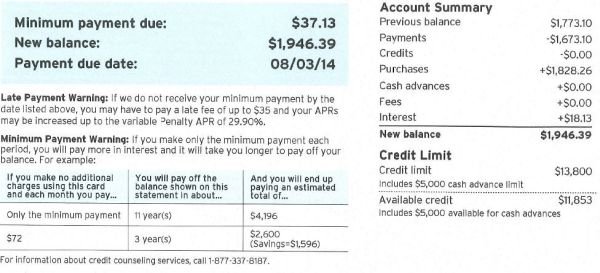
As you go, write each recurring charge into your list. Note the amount, the billing cycle, and the next charge date if the statement shows it. At the end of this step you should have a rough list and a rough monthly total. For most people, the total is the first surprise. It is usually larger than the guess in their head.
Step 2: Check Your Phone Subscription Lists
Subscriptions bought inside an app are usually billed by the store, not by the app maker. That means they may appear on your card statement as one lumped Apple or Google charge, with no detail about which apps it covers. The detail lives in your phone settings, and this is where many forgotten subscriptions are hiding.
On an iPhone, open Settings, tap your name at the top, then tap Subscriptions. You will see every active subscription billed through Apple, with its price and renewal date. Tap any one to see its details or to cancel it. On an Android phone, open the Google Play Store, tap your profile icon, then go to Payments and subscriptions, then Subscriptions. The same list is there, with the same details.
Check both lists even if you only use one type of phone now. If you switched from iPhone to Android or the other way around at some point, an old subscription can keep billing through the old store. Also check any tablet or second phone in the house. A subscription started on an iPad can bill for years while the iPad sits in a drawer.
Compare what you find here with your statement list. If a subscription appears on your phone list but not in your notes from step 1, add it. If a charge appears on your statement but you cannot find it on either phone list, it is probably billed directly by the company, which brings us to the next step.
Step 3: Search Your Inbox and Your PayPal Account
Your email holds receipts for almost every subscription you ever started. Search your inbox for the words receipt, renewal, your subscription, trial ends, and welcome. These searches surface the original sign up emails, which tell you the service name, the plan, and often the price. Check the spam and promotions folders too, since receipts often land there.
PayPal deserves its own check. Log in to PayPal on a computer, open Settings, then go to Payments and look for Manage automatic payments. This page lists every merchant allowed to charge your PayPal account on a recurring basis. Many people find old subscriptions here that they had completely forgotten, because PayPal sits between the merchant and the card and hides the charge from the card statement detail.
While you are in your inbox, search for the names of any unfamiliar charges from step 1. A receipt usually appears within seconds, and it will tell you exactly what the service is and when the next charge is due. If you find a service you do not use and cannot remember starting, that is a cancellation candidate. Note it on your list.

Step 4: Check Amazon, Roku, and Other Channel Stores
The last hiding place is the channel stores. If you subscribe to a streaming channel through Amazon Prime Video, it bills through Amazon, not through the channel itself. If you subscribe through Roku, it bills through Roku. The same applies to subscriptions started inside a smart TV app, a game console, or a streaming device.
On Amazon, go to Account, then Memberships and Subscriptions. On Roku, go to your account page on the Roku website and look for Manage your subscriptions. On Apple TV, the subscriptions live in the same Apple list from step 2. On a game console, check the subscription section in the console store. These lists are short, and checking each one takes about a minute.
Once you have checked all four places, your list is complete. Add up the monthly charges and multiply by twelve to see the real yearly cost. For most people this number is the moment the audit pays for itself. A few forgotten subscriptions at $10 or $15 a month add up to hundreds of dollars a year.
Decide What Stays and What Goes
A list on its own saves nothing. The next step is a decision for every line on it. Ask one question about each subscription: did I actually use it in the last 30 days? If the answer is no, it is a strong candidate to cancel. You can always sign up again later, often with a returning customer offer, so cancelling is rarely permanent.
For the ones you do use, look for a cheaper option before you keep paying the current price. Many services offer a lower tier with fewer features, a pause option that holds your account for a few months, or an annual plan that costs less than twelve monthly payments. A yearly plan only makes sense if you are sure you will use the service all year, so be honest with yourself here. The discount is not a saving if the service sits unused for six months.
Watch out for the bundle trap. A service may offer you three products for the price of two, or a premium tier that includes features you will never touch. If the cheaper tier covers what you actually use, the bundle is not a deal. It is a more expensive way to buy the same thing.
Cancel where you signed up. A subscription bought through Google Play or the App Store is cancelled in that store subscription list, not by deleting the app. Deleting an app does not cancel its subscription, and this is one of the most common ways a forgotten charge keeps running. A subscription bought on a company website is cancelled on that website, usually under billing or account settings. After you cancel, check that the cancellation actually went through. Look for a confirmation email, and check the subscription list again to make sure the status shows cancelled or expiring rather than active.
Keep a note of what you cancelled and when. If a charge appears again after cancellation, that note is your proof when you contact the company or dispute the charge with your bank. Most companies refund a charge billed after a confirmed cancellation, but only if you can show the date you cancelled.
Build a Tracker That Takes Five Minutes a Month
An audit cleans things up once. A tracker keeps them clean. Without a system, you will be doing this same audit again in eighteen months, and the same forgotten charges will have cost you money all over again. The good news is that the tracker can be very simple.
Make one list of every subscription you kept. A notes app, a spreadsheet, or a sheet of paper all work. Our guide on how to track business expenses as a freelancer shows a simple way to keep recurring costs in one place, and the same idea works for household subscriptions. For each line, record the service name, the amount, how often it bills, the next charge date, and which card or account it hits. Add the total at the bottom so you can see the monthly and yearly cost at a glance.
Set a reminder before each renewal date rather than after the charge. A calendar alert a few days before a yearly renewal turns an automatic charge into an actual decision. You get to ask yourself, do I still want this, before the money leaves your account. For monthly subscriptions, a single reminder on the first of each month to glance at your tracker is enough.
Review the list once a quarter. Add a line to it every time you sign up for something new, and remove a line the moment you cancel. The review takes five minutes if the list is current, and it is the habit that stops new subscriptions from becoming forgotten ones. The same discipline helps with paperwork in general, and our guide on a digital filing system for small business shows how a simple folder structure keeps records easy to find when you need them.
If you like automation, you can go further. Some banks let you set alerts for recurring charges, and some budgeting apps pull your subscriptions into one screen automatically. Our guide on how to automate repetitive tasks covers the same principle: let the system do the remembering, and spend your attention on the decisions instead.
How to Stop Forgetting New Subscriptions
The tracker handles the subscriptions you already have. Three rules stop new ones from slipping through in the first place.
First, never start a free trial without a calendar reminder. The moment you sign up for a trial, set a reminder for two days before the trial ends. That reminder is your decision point. If you still want the service, let it convert. If you do not, cancel before the first charge. This one habit alone prevents most forgotten subscriptions.
Second, use one card for subscriptions. When every recurring charge hits the same card, your monthly statement becomes a subscription report. A new charge stands out immediately, and a forgotten charge has nowhere to hide. Keep that card separate from your everyday spending card if you can, so the statement stays short and easy to scan.
Third, pause before you sign up. A subscription that saves you money only saves money if you use it. Before you enter your card details, ask yourself what you will stop doing instead. If the new service replaces something you already pay for, cancel the old one the same day. Two services doing the same job is the most expensive kind of forgotten subscription, because you are paying twice for one need.
Conclusion
Learning how to keep track of subscriptions you forgot about comes down to one afternoon of honest detective work and one simple list afterwards. Read three months of statements, check your phone subscription lists, search your inbox and PayPal, and check the channel stores. Decide what stays and what goes using the last 30 days as your test. Then keep a single tracker with renewal reminders and review it once a quarter.
Run the audit tonight. Most people find at least one subscription they forgot, and many find three or four. Cancel the ones you do not use, keep the ones you love, and let the tracker do the remembering from now on. The money you save is not a windfall. It is money you were already earning, finally staying in your account.
Key takeaways: your statement is the master list, never trust memory; charges hide in four places, statements, app store lists, email and PayPal, and channel stores; cancel anything unused in the last 30 days; and keep one tracker with renewal reminders so no new subscription is ever forgotten.
Frequently Asked Questions
How do I find all my subscriptions in one place?
There is no single screen that shows all of them. Check four places: three months of bank and card statements, your iPhone or Google Play subscription lists, your email receipts and PayPal automatic payments, and channel stores such as Amazon and Roku. Together those four cover nearly every subscription.
Does deleting an app cancel its subscription?
No. Deleting an app does not cancel the subscription attached to it. You must cancel in the place where you signed up: the App Store or Google Play subscription list for app purchases, or the company website for direct sign ups. Always check for a confirmation email after cancelling.
How much do people spend on forgotten subscriptions?
A 2022 survey by C+R Research found that people guessed they spent $86 a month on subscriptions while the real figure was $219. The gap comes from small charges that are easy to miss and yearly plans that bill only once a year.
How often should I review my subscriptions?
Do a full audit once, then review your tracker once a quarter and glance at it on the first of each month. Set a calendar reminder a few days before any yearly renewal so the charge becomes a decision instead of a surprise.
What should I do if a cancelled subscription keeps charging me?
First check the subscription list to confirm the status shows cancelled. Then contact the company with the date you cancelled and ask for a refund of the charges billed after that date. If the company will not help, dispute the charge with your bank or card issuer and show them the cancellation confirmation.